Pulumi logo
Pulumi Neo Team

Pulumi Neo Team

Product Team

Neo, Now in the Terminal

Neo, Now in the Terminal

Since launching Pulumi Neo, over 4,500 organizations have used it to delegate real infrastructure work: scaffolding, migrating, investigating, operationalizing, and more. Though that usage has come entirely through Pulumi Cloud, we know a large portion of Pulumi users live in the terminal, and increasingly that’s where AI tools run too. Now we’re bringing Neo there.

pulumi neo brings the same Neo experience you’ve had in Pulumi Cloud to your terminal. Running locally means there’s no separate branch to push, no credentials to provision, and no context to paste: Neo picks up the setup you already have.

pulumi neo working through a Kubernetes cluster check, with Flux GitOps state verified and a TODO list in progress

Read more →

Neo Integrations: MCP Servers and Cloud CLIs

Neo Integrations: MCP Servers and Cloud CLIs

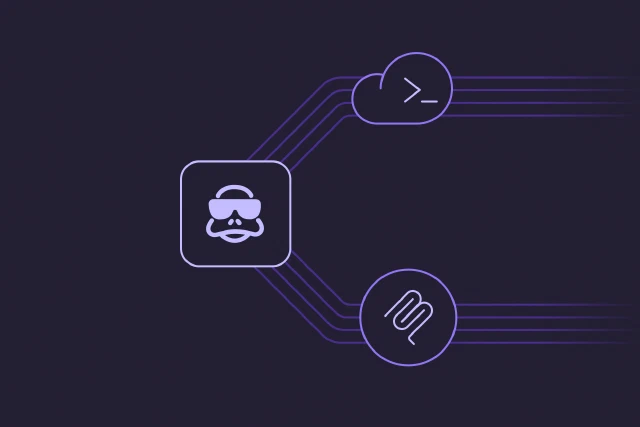
Pulumi Neo already understands your infrastructure: your code, your stacks, your state. Today we’re launching new capabilities that extend Neo’s reach in two directions: into the third-party systems your team uses to plan and observe, and out to the cloud CLIs that actually drive your infrastructure.

The first half is MCP integrations: connections to Atlassian, Datadog, Honeycomb, Linear, PagerDuty, and Supabase that show up as tools Neo can call during a task. The second half is CLI integrations: scopable access to aws, gcloud, az, and kubectl. Both are configured once at the org level and available to every Neo task in the organization.

Read more →

Neo Plan Mode: Iterate Before You Execute

Neo Plan Mode: Iterate Before You Execute

Infrastructure work ranges from simple updates to complex multi-stack operations. For straightforward tasks, jumping straight to execution is often fine. But complex tasks benefit from deliberate upfront thinking: understanding what exists, identifying dependencies, and agreeing on an approach before anything changes. Today we’re launching Plan Mode, a dedicated experience for collaborating with Neo on a detailed plan before execution begins.

Read more →

Neo: Share Tasks for Collaborative AI Infrastructure Operations

Neo shows its work, but until now that context was only viewable by the user that initiated the conversation. When you wanted a teammate’s input on a decision Neo made, you had to describe it in Slack or screenshot fragments of the conversation. Today we’re introducing task sharing: share a read-only view of any Neo task with anyone in your organization, full context preserved.

Read more →

Pulumi Agent Skills: Best practices and more for AI coding assistants

AI coding assistants have transformed how developers write software, including infrastructure code. Tools like Claude Code, Cursor, and GitHub Copilot can generate code, explain complex systems, and automate tedious tasks. But when it comes to infrastructure, these tools often produce code that works but misses the mark on patterns that matter: proper secret handling, correct resource dependencies, idiomatic component structure, and the dozens of other details that separate working infrastructure from production-ready infrastructure.

Read more →

Neo: Zero-downtime migration from CDK, Terraform & Azure ARM

The barrier to migrating to Pulumi has always been the infrastructure you already have. Your existing resources can’t be disrupted, and manually importing them into a new tool is risky and time-consuming. Today, we’re excited to share how Neo removes this barrier entirely with automated, zero-downtime migration to Pulumi from AWS CDK, AWS CloudFormation, Terraform, CDKTF, and Azure ARM templates.

Read more →

Encode What You Know With Neo: Custom Instructions and Slash Commands

Every organization builds up knowledge over time: naming standards, compliance requirements, patterns your team has settled on, and proven approaches to common tasks. Until now, bringing this knowledge into Neo meant repeating it manually each time - specifying preferences, describing how your team works, and recreating prompts that someone already perfected.

Two new features change this. Custom Instructions teach Neo your standards so it applies them automatically. Slash Commands capture proven prompts so anyone on your team can use them with a keystroke.

Read more →

The infrastructure as code platform for any cloud.